Concept designers
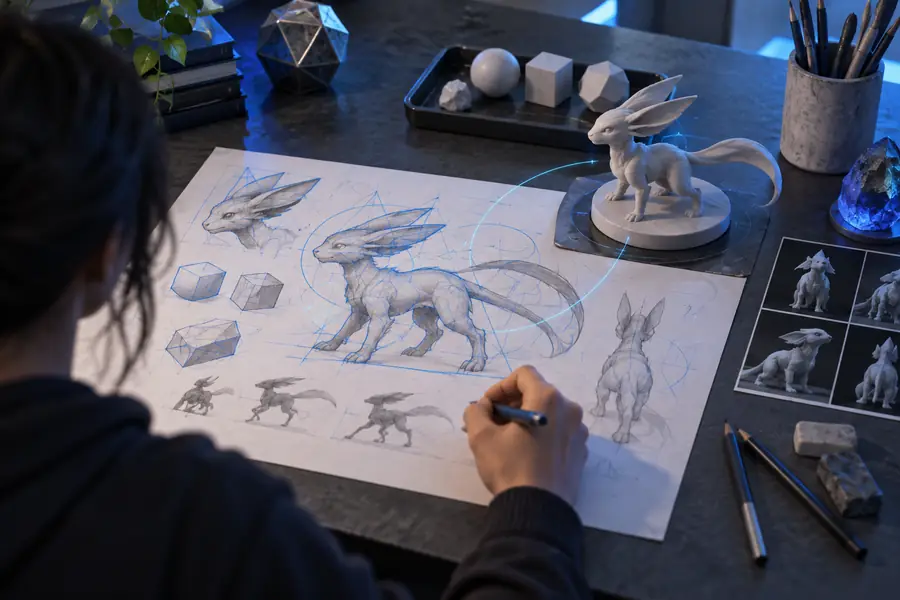
You need several visual directions for a prop, creature, vehicle, or environment before committing to detailed modeling.
Use a focused description to compare silhouettes and communicate the strongest direction to your team.
Online 3D workspace
Model ai 3d online free gives you a simple browser-based path from an idea to a visual 3D asset. Describe what you need, review the result, and refine the prompt without setting up a desktop 3D application.
Built for quick starts
The same online workflow can support early visual exploration, reference conversion, and practical asset planning. Choose the starting point that matches your project.
You need several visual directions for a prop, creature, vehicle, or environment before committing to detailed modeling.
Use a focused description to compare silhouettes and communicate the strongest direction to your team.
You have a product photo, sketch, or object image and want a rough 3D interpretation to guide the next stage.
Start with the image and use the generated form as a visual blockout rather than rebuilding the idea from zero.
You are testing an art direction and need readable objects for a moodboard, prototype scene, or internal pitch.
Generate a useful visual placeholder, then check its proportions and style before investing in production cleanup.
You want to explore an object idea online before deciding whether it is suitable for fabrication or manual modeling.
Use the first result to spot missing details, simplify the design, and prepare a clearer next prompt.
Surface comparison
An online generator is most useful when you understand what each input method is good at and where human review still matters.
| Prompt-led generation | Reference-led generation | |
|---|---|---|
| Starting input | A written description of the object, style, and intended use. | An uploaded image, sketch, or visual reference. |
| Best for | Exploring original concepts and changing the design direction quickly. | Keeping closer to a visible shape, proportion, or material cue. |
| Control style | Words control the form, mood, details, and constraints. | The reference anchors appearance while instructions guide interpretation. |
| Iteration method | Rewrite unclear terms and add one priority detail at a time. | Improve the reference and specify which visible features must remain. |
| Typical result | A concept asset that communicates an idea and its visual language. | A rough 3D interpretation that can support blockout and review. |
| Main review point | Check whether the model matches the meaning of the prompt. | Check whether the model preserves the important structure of the reference. |
| Strong next step | Make a shorter, more precise prompt for the next pass. | Provide a cleaner image or continue into manual refinement. |
From prompt to result
The online route is designed for visible progress: begin with a plain-language idea, then inspect the generated form before deciding what to refine.

The first result is a direction, not a guarantee of production-ready geometry.
Before: model ideaAfter: generated resultSimple process
A strong first pass comes from a specific brief, a quick visual check, and a deliberate refinement rather than a long paragraph of unrelated detail.
Name the subject first, then add its key shape, material, style, and intended context. Keep the main idea easy to identify.
Send the prompt through the online console and examine the silhouette, proportions, recognizable features, and overall visual direction.
Change the weakest or most important detail first. Short, targeted revisions usually make the next result easier to evaluate.
What the route delivers
The value of an online workflow is speed of exploration and clarity of communication, especially before a project needs detailed production work.
Before you begin
You do not need specialist software to start, but a few clear inputs make the online generation process easier to judge and improve.
A browser with a stable internet connection — The workflow runs online.
A clear subject or object to describe — Start with one primary model idea.
Two or three defining visual details — Mention shape, material, color, or style.
A clear intended use for the result — For example, concept art, blockout, or reference.
A reference image or sketchoptional — Useful when proportions or appearance matter.
A production-ready topology specificationoptional — Usually belongs in a later modeling and cleanup stage.
Honest boundaries
Online generation is valuable for ideation, but it should not be treated as a replacement for every modeling, retopology, or fabrication step.
A result can capture the overall object while losing tiny hardware, lettering, seams, or repeated features.
What to do instead
Describe the most important detail explicitly and inspect it in the next pass.
The first output may need topology cleanup, UV work, material setup, or scale checks before use in a finished pipeline.
What to do instead
Treat the result as a concept or blockout until it passes your technical review.
A single image may hide the back, underside, depth, or true proportions of an object.
What to do instead
Use additional views or provide a simpler reference with the required structure visible.
Vague style terms or too many competing requirements can produce a result that is visually interesting but off brief.
What to do instead
State the subject and intended form first, then add only the highest-priority constraints.
Common questions
Answers to practical questions people ask when looking for an online 3D model workflow.
It describes a browser-based way to use AI to explore or generate 3D model concepts without installing a desktop application. The free starting route is best understood as a way to test ideas and create useful visual direction.
Yes, a written prompt can describe the subject, form, materials, and style you want to explore. The result should be reviewed and refined because the first generation may not match every detail or technical requirement.
Yes, the browser-first workflow is approachable because it starts with plain language rather than specialist modeling commands. Beginners get better results when they name one clear subject and add a few concrete visual details.
No, an online workflow is intended to let you begin in a browser. Desktop software can still be useful later for editing, cleanup, materials, animation, or preparing an asset for a specific production pipeline.
Not automatically. A generated result may need checks for watertight geometry, scale, topology, UVs, materials, and other requirements before it is suitable for printing or use in a game.